

LunaTranslator - Open Source GalGame Translator
LunaTranslator Tutorial — An open-source GalGame / visual novel translator that supports HOOK, OCR, and AI translation engines. Integrates with YYDS to improve translation quality.
Chat Settings Options
In the YYDS console's System Settings -> Chat Settings, you can add the following shortcut option for one-click population into LunaTranslator from the Token Management page:
{ "LunaTranslator": "lunatranslator://llmapi/base64?data={cheryConfig}" }LunaTranslator is an open-source and free visual novel (GalGame) translator, dedicated to providing a native-level visual novel gaming experience.
- Project Address: https://github.com/HIllya51/LunaTranslator
- Project Documentation: https://docs.lunatranslator.org/en/README.html
Feature Support
-
HOOK Primarily uses HOOK to extract game text, adapting to almost all common and niche visual novels.
-
In-game Translation For some games, translation can be directly embedded into the game for an immersive experience.
-
HOOK Emulator For most games on NS/PSP/PSV/PS2, HOOK emulator support allows direct reading of game text.
-
OCR Built-in high-precision OCR models, and supports many other online & offline OCR engines for flexible reading of any text.
-
Rich Translation Interfaces Supports almost all translation engines, including large language model translation, offline translation, etc.
-
Language Learning Supports Japanese word segmentation and kana furigana, AnkiConnect, and Yomitan plugin.
-
Speech Synthesis Supports a large number of online & offline speech synthesis engines.
-
Speech Recognition On Windows 10 and Windows 11, Windows Speech Recognition can be used.
Installation Method
Download and install from LunaTranslator Documentation - Download & Launch & Update
Integrating YYDS into LunaTranslator
LunaTranslator supports integration with locally deployed YYDS. Please use your own deployed YYDS, or ensure that the service provider has legitimate upstream authorization and compliance obligations for their YYDS service. Do not connect API addresses or keys from unknown sources to production environments.
One-Click Configuration
-
In the YYDS console's
System Settings->Chat Settings, add the following shortcut option:{ "LunaTranslator": "lunatranslator://llmapi/base64?data={cheryConfig}" }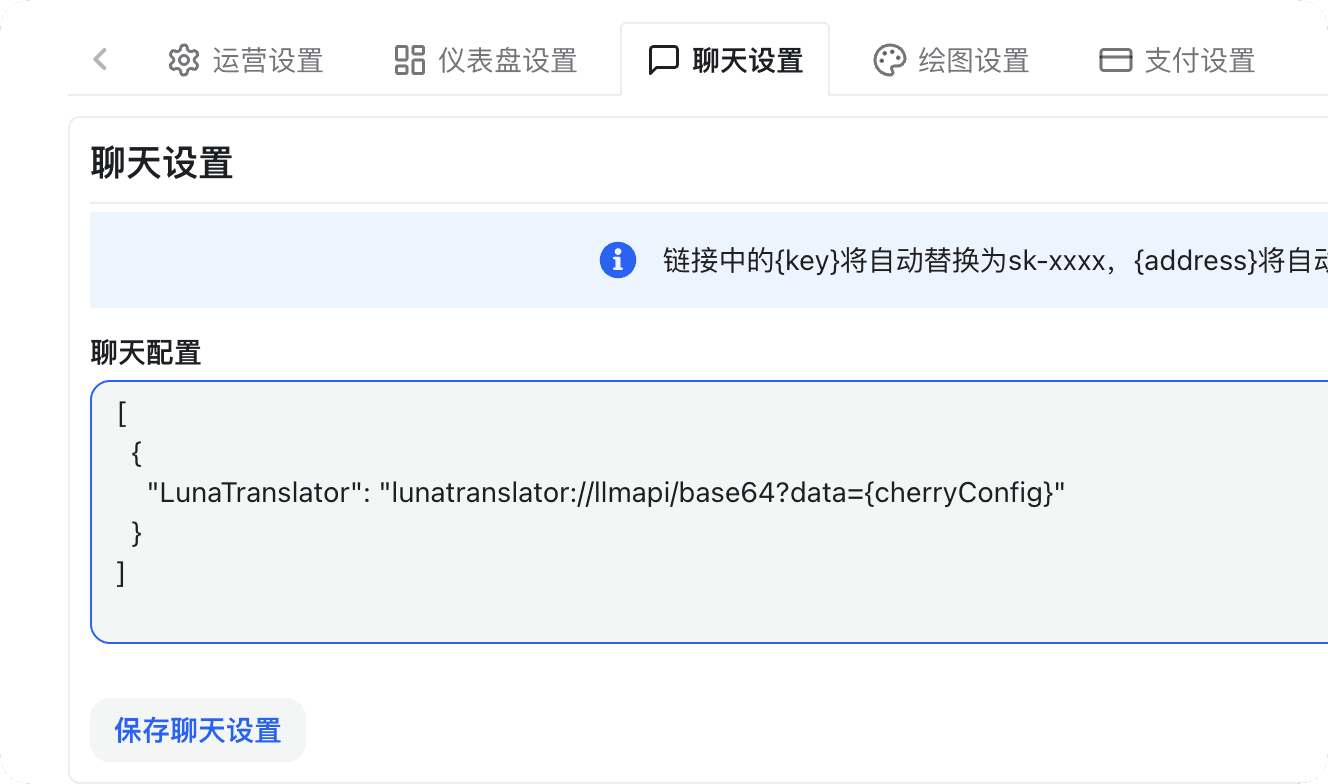
-
In the
YYDS->Console->Token Managementtab, select the token you want to use in LunaTranslator, click the dropdown option next to the chat button, chooseLunaTranslator, and you will be redirected to LunaTranslator with the API address and API Key automatically configured.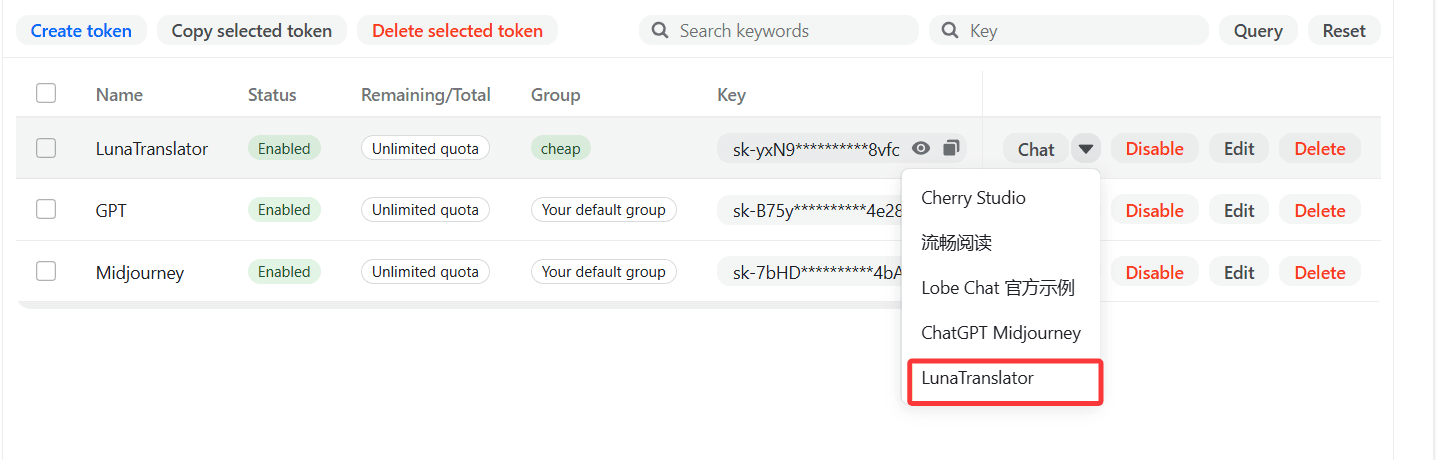
-
In
LunaTranslator->Settings->Translation Settings->Large Models, a new large model interface configuration will appear; click Edit.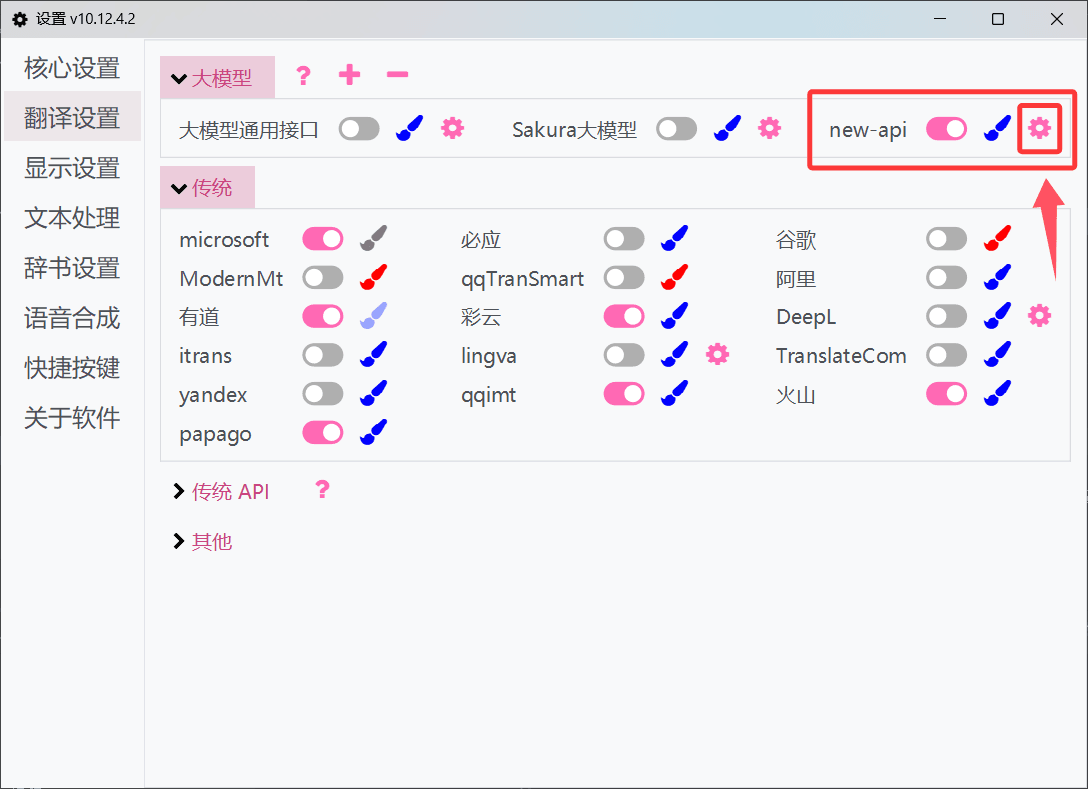
-
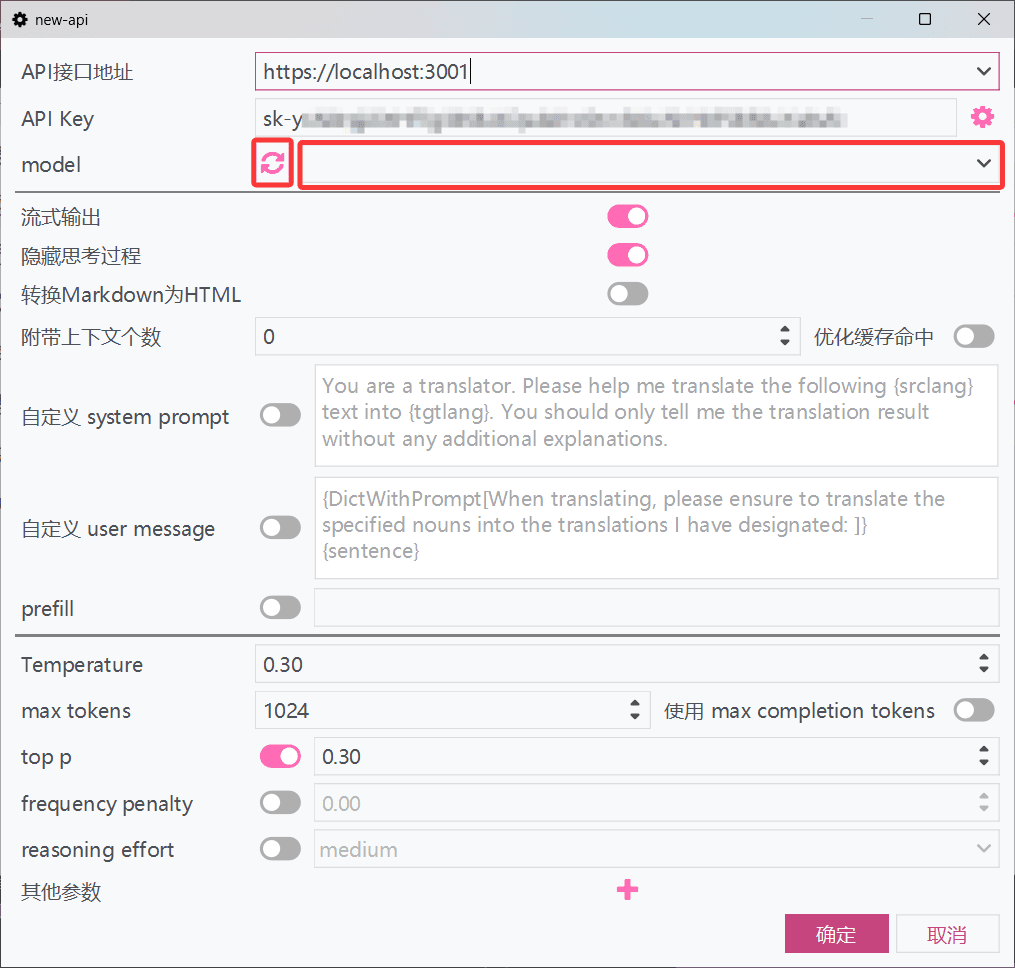
Click the refresh button next to the model dropdown to retrieve the YYDS platform's model list, select or enter the model name, then click OK to save.
-
Check if the toggle switch next to the new_api large model interface configuration is turned on. If not enabled, enable the interface to start using it.
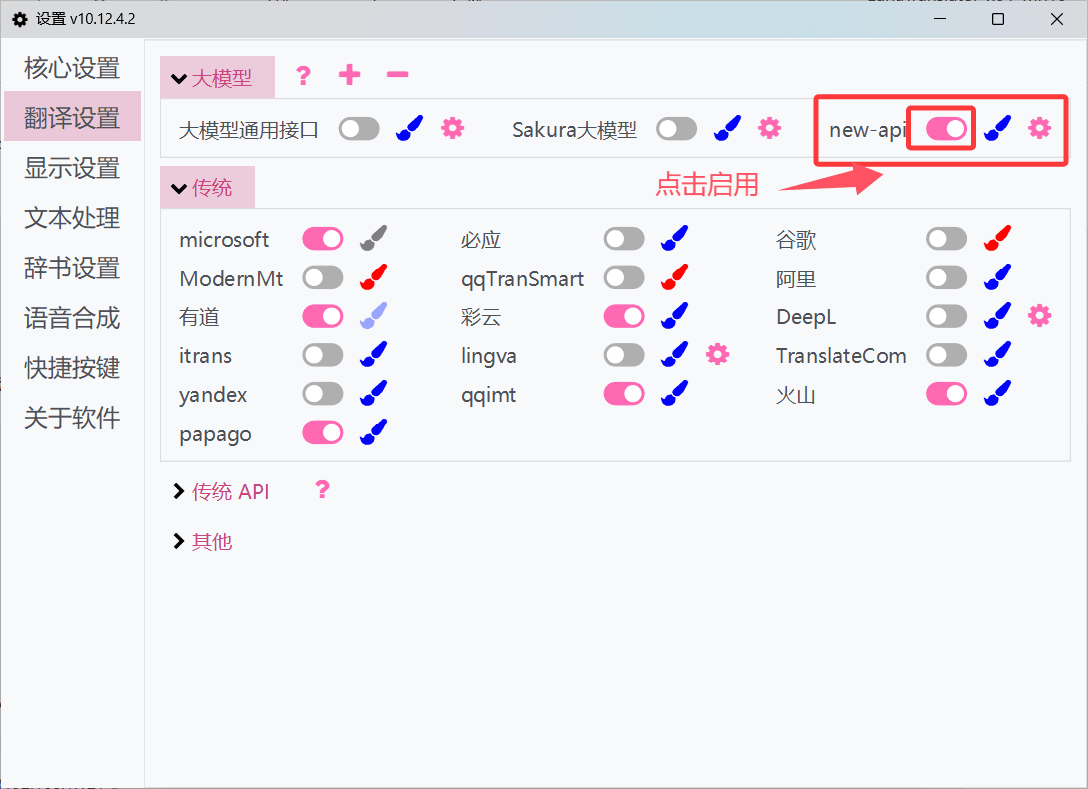
Manual Configuration
-
In the
YYDS->Console->Token Managementtab, obtain the API Key.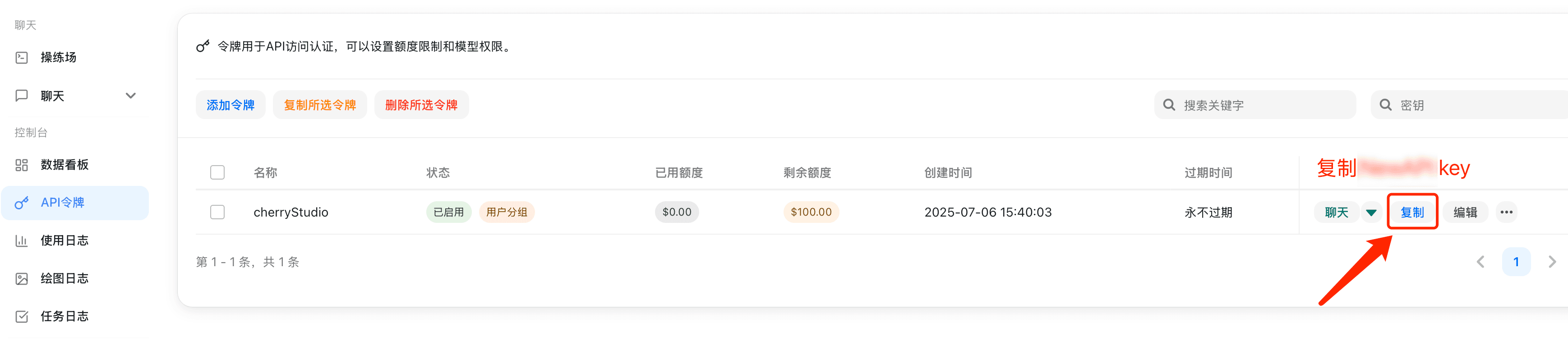
-
In
LunaTranslator->Settings-Translation Settings->Large Models, select Add.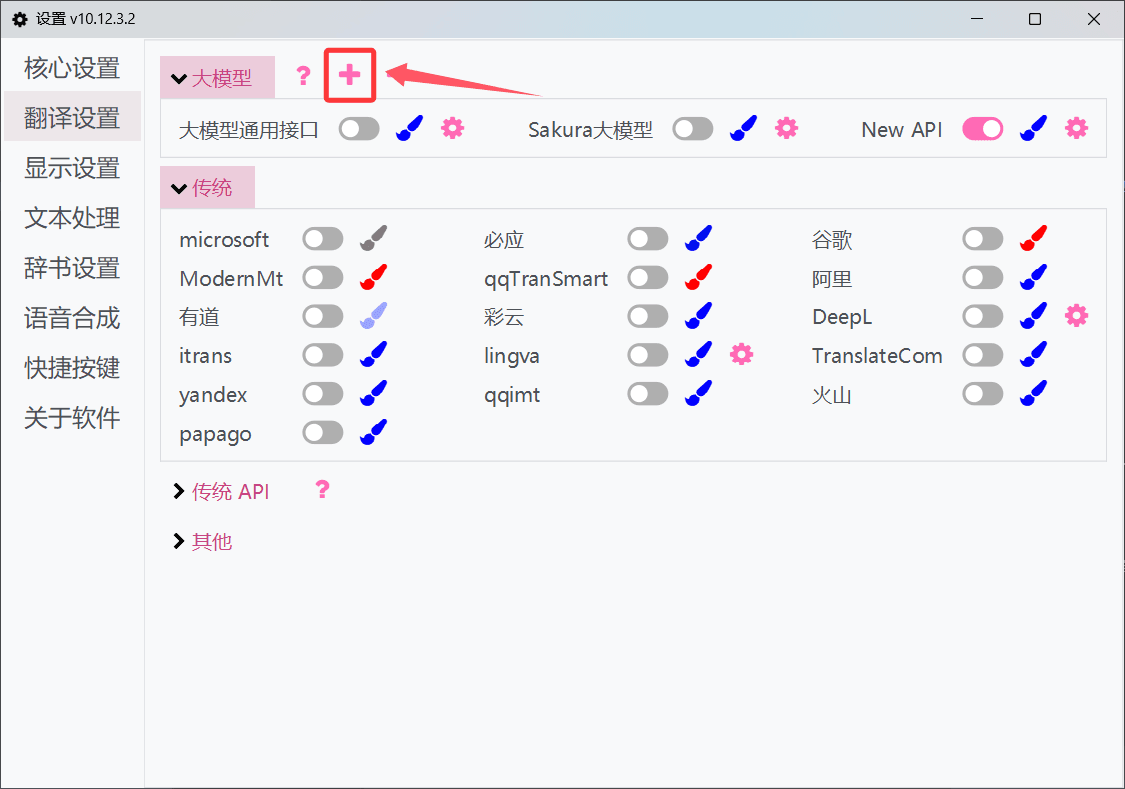
-
Copy the Large Model General Interface template and add a new interface.
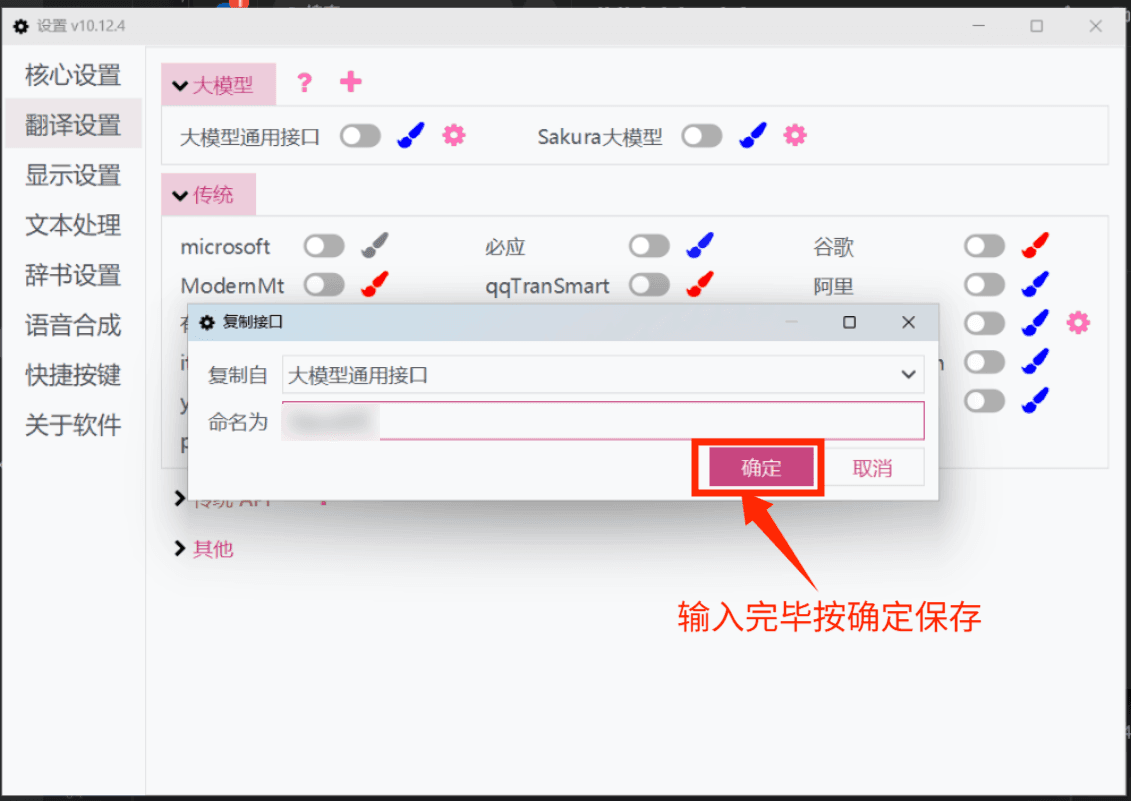
-
In the newly added interface, fill in the corresponding API Address and API Key.
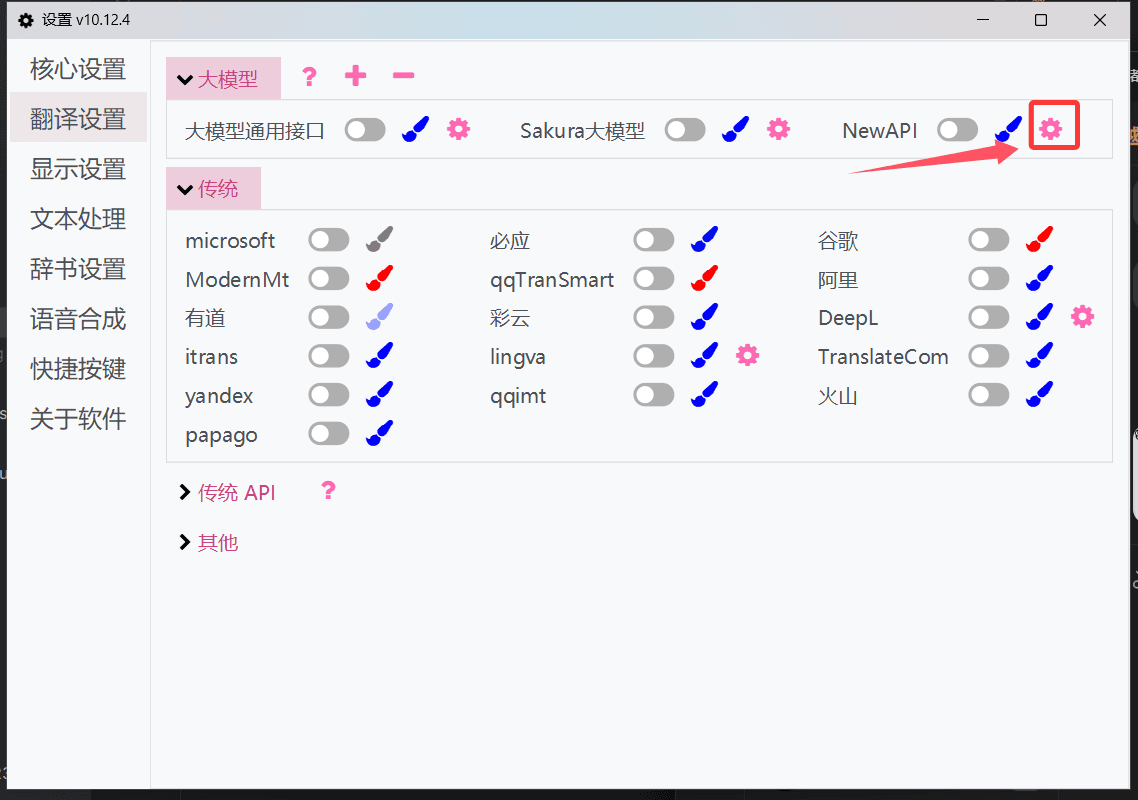
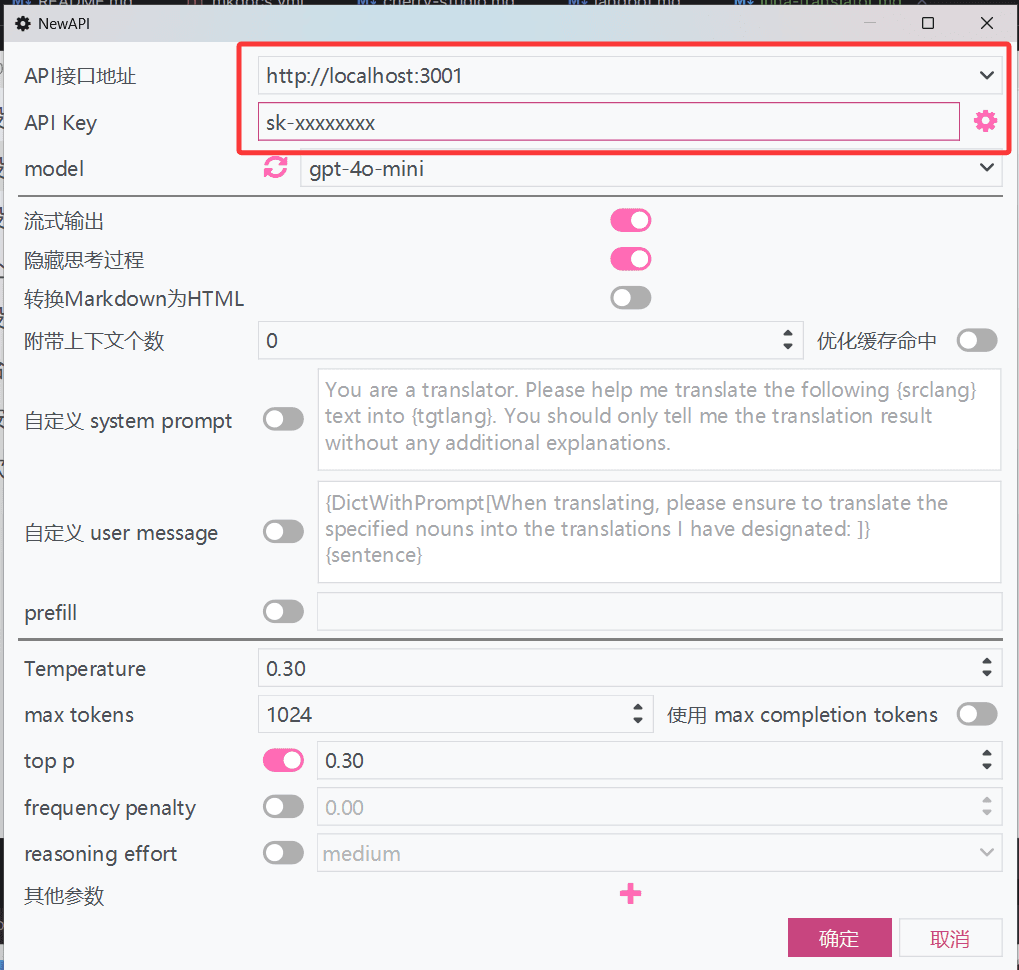
-
Click the refresh button next to the model dropdown to retrieve the YYDS platform's model list, select or enter the model name, then click OK to save.
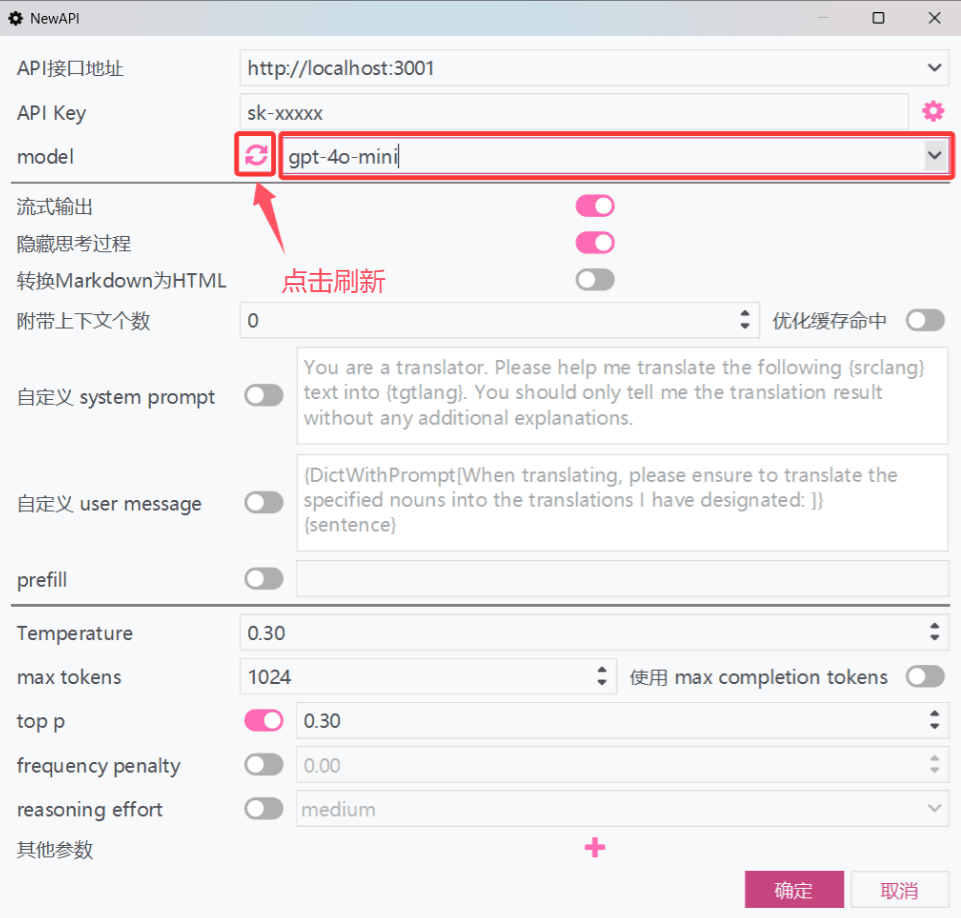
-
Click the toggle switch next to YYDS to enable the interface and start using it.
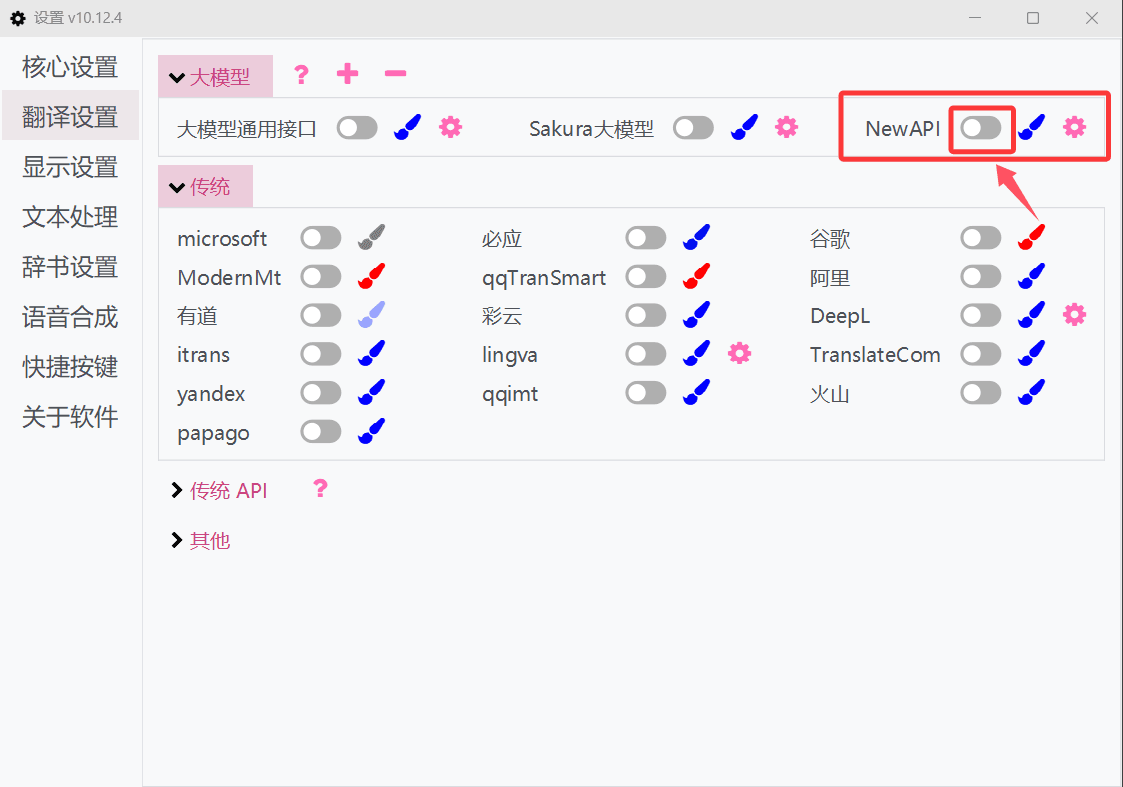
For more usage methods, please refer to the official LunaTranslator documentation: LunaTranslator Documentation - Large Model Translation Interface
How is this guide?
LangBot - Instant Messaging Bot Development Platform
LangBot integration guide — build AI-powered chatbots for Feishu, DingTalk, Telegram, Discord, and more. Supports Knowledge Base, Agent, and MCP with YYDS.
AstrBot - Agent Chatbot
AstrBot Configuration Tutorial — Integrating the open-source Agent chatbot platform with YYDS to inject AI capabilities into instant messaging platforms like QQ, Feishu, DingTalk, and WeChat Work.